


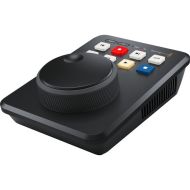




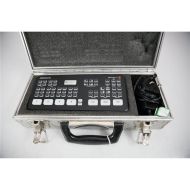


The DaVinci Resolve Advanced Panel is Blackmagic Design's flagship colour grading control surface, built for colourists working through long, complex grading sessions. Where a mouse or pen adjusts one parameter at a time, this panel gives you fluid, hands-on control of multiple parameters at once. Designed in collaboration with leading colourists, it puts the most important controls under natural hand positions so you can work faster.
The Advanced Panel is a set of three panels working together as one system:
The two side panels are interchangeable to suit operator preference. They connect to the centre panel through an integrated USB hub, and the centre panel connects to your workstation by USB 2. Backlit keys suit darkened grading suites, and the LCD and key colour and intensity can be customised.
Four trackballs handle colour balance across the Color page, each surrounded by a control ring with no end stop for continuous adjustment. They work with the Color Wheels and Log Wheels modes of the Primaries palette and the Global and Zones controls of the HDR palette.
The fourth trackball is especially versatile. It can act as an Offset control, switch between Global and Zone controls in HDR, work as an eyedropper for qualifying, edit curve control points, or adjust the position and rotation of Power Windows. Six fixed rotary knobs beside the trackballs control Gain, Gamma, Lift, Saturation, Hue and Luminance mix.
Reset keys above each trackball clear RGB, Level or All adjustments. They sit behind SHIFT UP so a grade isn't wiped by accident.
Soft keys and rotary knobs sit above high-resolution LCDs that label each control and show its setting in real time. The centre panel offers 24 rotary controls and 12 keys that update to match the palette you are using.
The side panels give simultaneous access to other palettes. By default, the T-bar panel shows Sizing and the Search Dial panel shows Curves, so you can adjust both at any moment. You can reassign either panel to another palette, such as Qualifier or Motion, directly from the control surface.
Dozens of fixed keys are grouped by function so related controls sit together. Many keys carry up to three functions: a primary action, a SHIFT UP action and a SHIFT DOWN action. Pressing a shift key lights every key with an alternate function, so you can see what is available.
The top row of keys gives one-press access to Camera Raw, Log, Primaries, HDR, RGB Mixer, Motion Effects, Magic Mask, Curves, Color Warper, Qualifier, Blur, Window, Tracker, Sizing, Key and Stereo 3D. The Dolby Vision palette opens when it is enabled in Project Settings.
The T-bar panel's Node Control group lets you build node trees without reaching for the mouse:
Select the first, last, next or previous node with one key, or type a node number and press SELECT NODE.
The T-bar fader controls reference wipes and split-screen comparisons against Gallery stills, the timeline or an offline reference movie. Highlight, black and white highlight and Difference modes help when adjusting qualifiers and windows. You can also isolate the red, green or blue channel in the viewer to check noise or image quality.
The Search Dial panel is built for fast grade management:
The Jog/Shuttle control combines a free-spinning jog wheel for frame-by-frame movement with an outer shuttle knob for fast playback, backed by dedicated transport keys. The numeric keypad lets you jump to a clip number, type timecode, enter relative frame moves and load qualifier presets. A P/LITE mode adds printer points adjustment in whole, half or quarter points.
Keyframing, tracking and stabilisation controls are also on the panel, along with In and Out points, 16-colour flags and markers, and unlimited undo and redo.
Six rotary knobs map to the 0%, 20%, 40%, 60%, 80% and 100% luminance points of the custom curves. HSL curves and soft clipping are also controllable from the panel. For automatic correction, the DaVinci Neural Engine analyses the image to give a neutral starting point. You can guide it by placing the cursor over a neutral feature.
The DaVinci Resolve Advanced Panel suits professional colourists, post-production facilities, grading suites, remote grading workflows, HDR and Dolby Vision work, and rental houses supplying colour grading hardware.
| SKU | DV/RES/AADPNL |
|---|---|
| Compatibility | DaVinci Resolve |
| In The Box | Blackmagic DaVinci Resolve Advanced Panel |


