



Blackmagic HyperDeck Shuttle 4K Pro
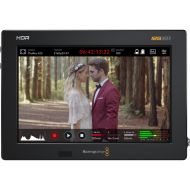
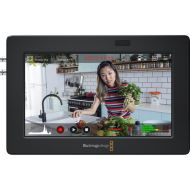
HyperDeck Shuttle 4K Pro is a new live media player and master recorder. The design includes ergonomic physical controls so customers can search through lots of media and play clips. It also has a large built in 7-inch LCD touchscreen for monitoring and scopes.
HyperDeck Shuttle 4K Pro features 12G-SDI and HDMI for recording to Apple ProRes, DNx, H.264 and H.265 files in all video standards up to 2160p. With 10G Ethernet and internal M.2 media, HyperDeck Shuttle 4K Pro is more than a HyperDeck as it's also a network storage device. That means it can share its media with large workflows of editors and colorists.
Features
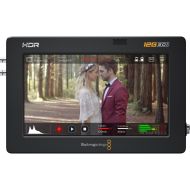
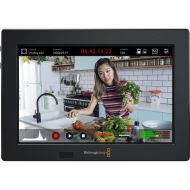
HyperDeck Shuttle is perfectly designed for the desktop. This means the front panel can be operated with a single hand. The gentle angle allows the hand to rest on the search dial, and the control buttons are positioned under the fingertips. The large 7-inch HDR display has buttons for playback, pause and recording functions, as well as a mini playback timeline so customers can scroll through their clips.
A "HUD", or heads-up display, is included that overlays important information such as timecode, media status and audio meters. Customers can also enable full broadcast scopes via the touch screen, and enable features such as focus assist and an RGB exposure histogram. The HyperDeck Shuttle 4K Pro's settings can also be changed through the on-screen menus. Plus, customers can load and save 3D LUTs.
HyperDeck Shuttle includes a control panel that's very fast to use. The buttons are similar to a traditional broadcast deck. Simply press the record button and customers instantly start recording the video input to a file. It will record in the file format that has been set in the record menu. There are other buttons for playback, to cue to the start of the clip and to move to the next clip. The large machined metal search dial supports shuttle, jog and scroll so customers can find clips fast. Plus all deck control functions can be triggered remotely using the Ethernet network.
HyperDeck Shuttle has been designed to record directly to network storage. That means customers don't need to mess around with media cards because they can store all their media in a central place. Plus HyperDeck Shuttle 4K Pro has space for M.2 flash storage cards, so the network storage is built in. This means any editing system can just log into the HyperDeck Shuttle 4K Pro and access all the media in one location. DaVinci Resolve can also edit media while it's being recorded. Managing the storage is easy, as customers just browse the network storage, then select the folder customers want to record into.
The advanced HyperDeck Shuttle 4K Pro includes the latest 12G-SDI and HDMI 4K video connections. Standard definition support includes NTSC and PAL. 720p HD standards include 720p50 and 59.94p. 1080i HD interlaced standards include 1080i50 and 1080i59.94. 1080p HD television standards include 1080p23.98, 24, 25, 29.97, 30, 50, 59.94 and 60p. HyperDeck Shuttle 4K Pro even handles 1080 PsF formats.
12G-SDI and HDMI 4K also handles Ultra HD in all television standards including 2160p23.98, 24, 25, 29.97, 50, 59.94 and 60p. SDI also supports both level A and level B when working in 3G-SDI rates. The powerful HyperDeck Shuttle 4K Pro has extremely fast 10G Ethernet. The network speeds are so fast that lots of editors and colorists can access the built-in HyperDeck M.2 storage over their network, all at the same time. Customers can also transfer files via an easy-to-use HTTP/S web interface or an FTP client.
For broadcast automation control, HyperDeck uses the Ethernet connection and a simple text-based protocol, which customers can test with a simple Telnet client. A REST protocol is also supported for custom automation and it's fully documented in the manual. This means HyperDeck Shuttle 4K Pro is a fully self-contained broadcast server for ingest, media management and play out.
| SKU | HYPERD/PTSKD |
|---|---|
| Power | Power Supply: 1 x Locking 5.5mm barrel 12V DC In for external power supply or battery use. |
| Power Consumption | Power Usage: 60 W max. |
| Input/Output | SDI Video Inputs: 1x Reference Input Reference Output SDI Audio Inputs SDI Audio Outputs HDMI Audio Inputs HDMI Audio Outputs Remote Control Recorder Configuration Ethernet External Recording Computer Interface |
| Video Resolution(s) | SD Video Standards: 525i59.94 NTSC, 625i50 PAL HD Video Standards 2K DCI Video Standards Ultra HD Video Standards 4K DCI Video Standards SDI Compliance SDI Metadata Support Supported HDMI Formats |
| Recording Formats | Video Codecs: Playback only of ProRes 4444 QuickTime up to 2160p60 with auto routing of fill and key over SDI A and B outputs. DNxHD 220x, DNxHD 220x MXF, DNxHD 145, DNxHD 145 MXF, DNxHD 45, DNxHD 45 MXF for 720p and 1080p HD formats up to 60fps. DNxHR HQX, DNxHR HQX MXF, DNxHR SQ, DNxHR SQ MXF, DNxHR LB, DNxHR LB MXF for 2K DCI and 2160p formats up to 60fps. H.265 High 4:2:0 10‑bit, H.265 Medium 4:2:0 10‑bit, H.265 Low 4:2:0 10‑bit for all 2160p formats up to 60 fps. H.264 SDI 4:2:2 10‑bit, H.264 High 4:2:0 8‑bit, H.264 Medium 4:2:0 8‑bit, H.264 Low 4:2:0 8‑bit for all formats up to 1080p60. Audio Codecs Cache Recording Audio Sampling Video Sampling Color Precision 33 point 3D LUTS can be applied to SDI monitor out. HDR Support Multi Rate Support Copy Protection Built-in Control Panel External Control |
| Media Format | 1 x SD card slot 1 x USB‑C 3.1 Gen 1 expansion port for external recording of SD, HD, 2K DCI, Ultra HD and 4K DCI. / Media Type UHS-I and UHS-II SD cards. Can format media to ExFAT (Windows/Mac) or HFS+ (Mac) file systems. |
| Weight | 1.09kg |
| Dimensions | 268 x 152 x 72mm |
| Additional Info | Scopes: Waveform, RGB Parade, Vector and Histogram scopes in broadcast quality 10-bit. Viewing Modes: Picture in picture, picture overlay with opacity control. Waveform and RGB parade with standard and HDR graticules and Vector with zoom. Teleprompter Supported File Formats |
| In The Box | Blackmagic HyperDeck Shuttle 4K Pro
12V universal power supply with international socket adapters |